


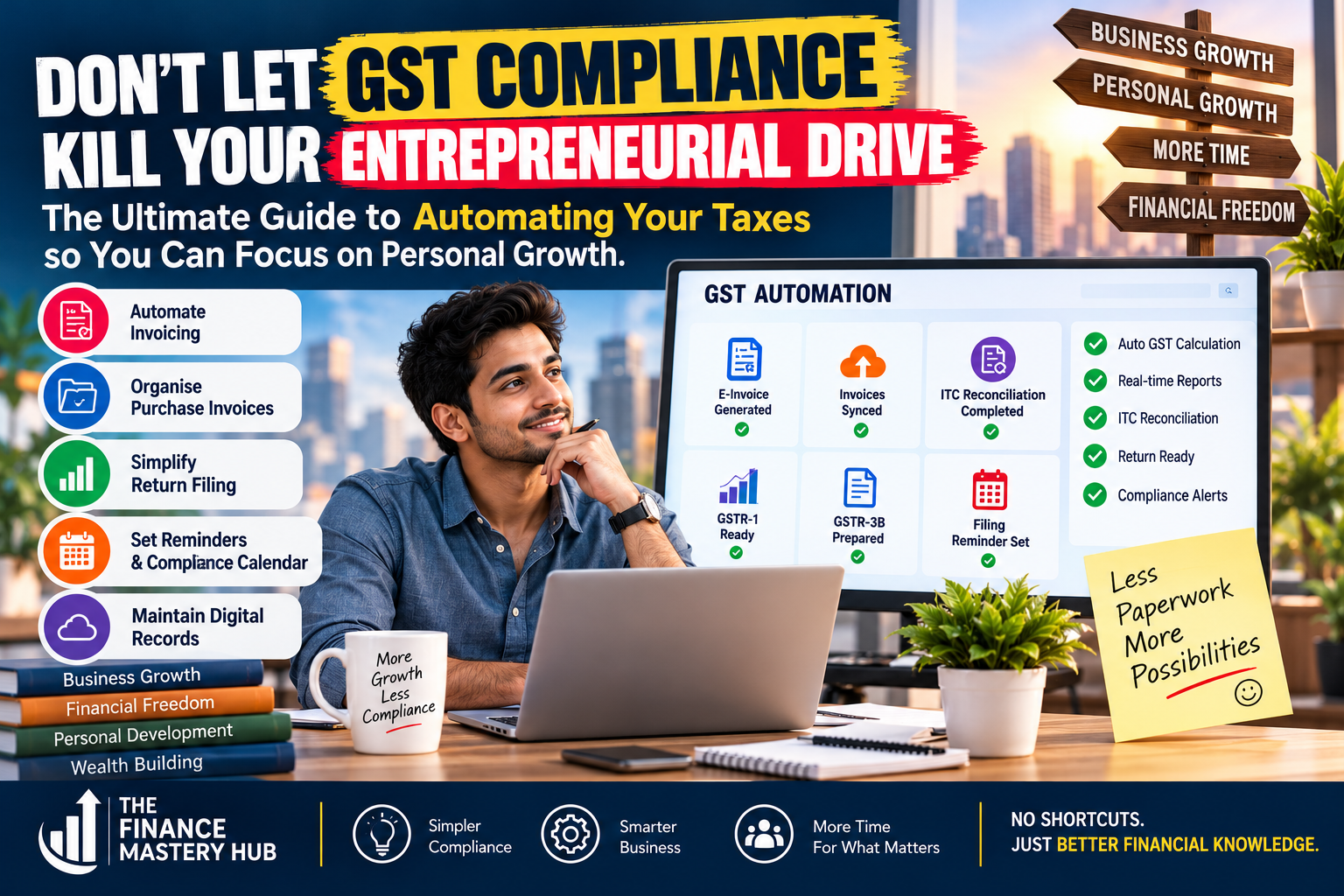
Introduction: Spend Less Time on Compliance, More Time Building Your Business
By Vivek Singh | The Finance Mastery Hub
Running a business requires energy, creativity and consistent decision-making. Whether you are a freelancer, consultant, online seller, startup founder or small business owner, your time is one of your most valuable resources.
But there is a problem many entrepreneurs face: GST compliance can consume hours that could otherwise be spent acquiring customers, improving services, developing new skills or growing the business.
You may find yourself searching for invoices, matching purchase records, checking GST calculations, following up with vendors, preparing returns and remembering filing deadlines. When these tasks are handled manually, even a small mistake can create additional work.
The good news is that many repetitive tasks can be simplified with the right digital tools and processes.
GST automation is not about avoiding tax responsibilities. It is about managing them more efficiently, reducing avoidable errors and creating more time for business growth and personal development.
In this guide, we will explore how to automate your GST workflow, which tools you may need, what tasks you can simplify and how to implement a practical system without making compliance unnecessarily complicated.
1. What Is GST Automation?
GST automation means using digital tools, accounting software and organised workflows to reduce manual work involved in managing GST-related activities.
Depending on your business and software, automation may help with:
- Generating sales invoices.
- Calculating applicable GST based on configured tax rules.
- Recording purchases and expenses.
- Organising sales and purchase data.
- Reconciling supplier invoices with GSTR-2B.
- Preparing data for GST returns.
- Tracking filing and payment deadlines.
- Maintaining digital records.
- Generating reports for review.
For example, imagine that you run a small digital marketing agency.
You issue multiple invoices every month, receive invoices from software providers and freelancers, and need to maintain accurate accounting records. If you manage everything manually in different files, the process can become time-consuming.
With a suitable accounting system, you may be able to generate invoices, record expenses, maintain GST reports and prepare data for return filing from one place.
You still need to review the information, confirm the correct tax treatment and ensure that returns are filed as required. Automation helps reduce repetitive work; it does not eliminate your responsibility as a taxpayer.
2. Why Entrepreneurs Should Automate GST Compliance
Save valuable time
Manual data entry, repetitive calculations and searching through documents can take hours every month.
A well-designed workflow can reduce these activities and free up time for sales, customer service, marketing and business planning.
Reduce avoidable errors
Manual processes increase the possibility of duplicate entries, incorrect invoice details, missed transactions and calculation errors.
Software can apply configured rules, identify duplicate records and highlight certain mismatches. However, incorrect settings or inaccurate source data can still produce incorrect results.
Improve financial visibility
When sales, expenses, GST liabilities and payments are recorded consistently, it becomes easier to understand your business’s financial position.
You can review outstanding customer payments, upcoming tax obligations and operating expenses before making important decisions.
Reduce last-minute pressure
A regular compliance process helps you avoid collecting documents at the last minute or discovering missing invoices just before a filing deadline.
This can make business administration more predictable and less stressful.
Focus on personal growth
Entrepreneurship is not only about revenue. It is also about building skills, maintaining relationships, improving decision-making and protecting your well-being.
Reducing administrative work can create more room for learning, strategic thinking, exercise, family time and other personal priorities.
3. The Five-Step GST Automation System
You do not need to automate everything on the first day. Start with the tasks that consume the most time and create the most errors.
Step 1: Automate invoicing and GST calculations
Your sales invoices are the starting point for much of your GST workflow.
Instead of preparing every invoice manually, use suitable billing or accounting software that allows you to maintain customer details, product or service descriptions, invoice numbers, taxable values and applicable GST rates.
Depending on your setup, the system may also generate tax summaries and maintain records of credit notes and debit notes.
Your action plan:
- Select software suitable for your business size and transaction volume.
- Configure your business details and applicable tax settings.
- Create standard customer and product or service records.
- Generate invoices through the system.
- Review tax rates, place-of-supply details and other required invoice particulars before issuing invoices.
Do not assume that software automatically selects the correct GST treatment for every transaction. Different supplies can have different tax requirements, so review the configuration with a qualified professional when needed.
Businesses covered by mandatory e-invoicing requirements must also follow the applicable Invoice Registration Portal process. The GST portal can use eligible e-invoice data to populate parts of GSTR-1, reducing duplicate data entry.
Step 2: Organise purchase invoices and automate ITC reconciliation
Input Tax Credit, or ITC, is an important part of GST compliance for eligible businesses.
However, recording a purchase in your accounting software does not automatically mean that the related GST credit can be claimed.
Your records must be reviewed against applicable ITC conditions and relevant supplier information.
The GST portal provides GSTR-2B, an auto-drafted statement that helps taxpayers review the availability of ITC based on information reported through the GST system.
Your action plan:
- Record purchase invoices promptly.
- Maintain a digital folder or document-management system for supporting invoices.
- Download GSTR-2B for the relevant tax period.
- Compare GSTR-2B with your purchase register.
- Investigate missing invoices, duplicate entries and differences in values or GSTINs.
- Review eligibility, reversals and other applicable conditions before claiming ITC.
- Keep a record of unresolved differences and follow up with suppliers.
Accounting software may help match transactions automatically, but a mismatch should not simply be ignored or resolved by changing figures without supporting evidence.
Practical example: Your purchase register shows a supplier invoice of ₹20,000 plus GST, but the corresponding document does not appear in your available ITC statement. Instead of claiming the credit without review, investigate whether the invoice details are correct, whether the supplier has reported the transaction and what action is permitted under the applicable rules.
This process helps you build a more reliable compliance record.
Step 3: Simplify GST return preparation
Many businesses spend unnecessary time transferring the same information between spreadsheets, accounting systems and return forms.
A better process is to maintain one reliable set of accounting records and use it to prepare the required GST reports.
For example, your accounting system may generate sales summaries, purchase registers, tax liability reports and other supporting information that can help with return preparation.
Depending on the software and integration, some information may also be imported or auto-populated through the GST portal.
Your action plan:
- Maintain sales and purchase records throughout the month.
- Record credit notes, debit notes and adjustments promptly.
- Reconcile sales data with the figures intended for GSTR-1.
- Review the liability figures and eligible ITC relevant to GSTR-3B.
- Investigate differences before filing.
- Preview the return and verify the payment details.
- File the return using the applicable authorised process and retain the acknowledgement.
Remember that pre-filled or auto-populated information is not necessarily error-free. The taxpayer must review it before filing.
Also, filing frequency and due dates depend on your registration type and applicable scheme. Use the official GST portal and relevant notifications to confirm the deadlines that apply to your business.
Step 4: Set up automated reminders and a compliance calendar
Missing a deadline can create avoidable costs and additional administrative work.
Instead of relying entirely on memory, maintain a compliance calendar that covers your business’s applicable obligations.
You can use a calendar application, task-management system or accounting software with reminder features.
Your calendar may include:
- GST return preparation dates.
- Applicable return filing deadlines.
- Tax payment reminders.
- Supplier reconciliation reviews.
- E-invoice and e-way bill checks, where relevant.
- Annual return or other applicable compliance tasks.
How to implement it:
- List the GST obligations applicable to your registration.
- Verify the current due dates.
- Add reminders several days before each deadline.
- Assign responsibility for preparing and reviewing the return.
- Set a final reminder to confirm successful filing and payment.
Use more than one reminder for important obligations. A notification is useful, but it should not be your only control.
Step 5: Maintain a digital record-management system
Searching through emails, paper files and multiple spreadsheets can turn a simple query into a time-consuming task.
Create a consistent digital filing structure for your business.
For example:
- GST Records
- Financial Year
- Month
- Sales Invoices
- Purchase Invoices
- Credit and Debit Notes
- GSTR-1
- GSTR-3B
- GSTR-2B and Reconciliation
- Tax Payment Challans
- Filing Acknowledgements
- Month
- Financial Year
Use meaningful file names, restrict access to authorised people and maintain appropriate backups.
Registered taxpayers must maintain the accounts and records required under applicable GST law. Electronic record-keeping can support this process, but your records must remain accurate, accessible and properly preserved.
Protect GST portal credentials, digital signatures and confidential customer information. Never share passwords or one-time passwords with unauthorised people.
4. Which Tools Can Help You Automate GST?
The best solution depends on your business size, transaction volume, budget and existing accounting process.
| Tool category | What it can help with | Suitable for |
|---|---|---|
| GST portal | Return filing, viewing statements and accessing GST services | All relevant registered taxpayers |
| Accounting software | Recording transactions, maintaining ledgers and generating GST reports | Small and growing businesses |
| Billing software | Preparing sales invoices and maintaining invoice records | Freelancers, consultants and sellers |
| Spreadsheet tools | Reconciliation, exception tracking and reporting | Businesses with manageable transaction volumes |
| Document-management tools | Organising invoices and supporting records | Businesses handling many documents |
| Calendar and reminder apps | Tracking deadlines and assigning tasks | Entrepreneurs and small teams |
| GST software integrations | Importing data, matching transactions and supporting return preparation | Businesses with more complex workflows |
Before choosing a paid product, check its current features, pricing, supported integrations, data-security controls and compatibility with your accounting process.
Avoid purchasing several tools that perform the same function. A simple, reliable system is often better than an expensive setup that nobody maintains properly.
5. A Simple Monthly GST Workflow for Entrepreneurs
You can make your process more predictable by dividing compliance work into regular stages.
During the month
Record invoices and expenses as transactions occur. Keep documents organised and resolve obvious data-entry errors promptly.
Before the return deadline
Review sales records, reconcile purchase invoices with GSTR-2B, investigate discrepancies and prepare the required returns.
During the review
Check taxable values, applicable tax rates, output tax liability, eligible ITC, reversals and other relevant adjustments.
At filing and payment
Review the return, complete the applicable filing steps, pay the required amount and retain acknowledgements and payment records.
After filing
Save the filed return, review any remaining mismatches and record lessons that can improve the next month’s process.
This approach spreads the work across the month rather than allowing everything to accumulate at the end.
6. How to Automate GST Without Hiring a Large Finance Team
If you are a freelancer, consultant or small business owner, you may not need a full-time accountant or a complicated enterprise system.
You can begin with three practical components:
First: A reliable accounting system. Use a suitable tool to maintain invoices, expenses, ledgers and tax reports.
Second: A monthly reconciliation checklist. Review sales, purchases, available ITC and tax liabilities before filing.
Third: Professional support when necessary. A qualified accountant or GST practitioner can help with complicated transactions, return reviews, notices and changes in tax treatment.
You can perform routine record-keeping yourself while outsourcing specialised work when the complexity justifies the cost.
The objective is not to remove every human task. It is to use your time and resources more intelligently.
7. Common GST Automation Mistakes to Avoid
Automation can improve efficiency, but a poorly designed system can create problems faster than a manual process.
Avoid these common mistakes:
Mistake 1: Assuming software guarantees compliance. Software can make incorrect calculations if the source data or tax settings are wrong.
Solution: Review tax configurations periodically and verify important transactions.
Mistake 2: Claiming every invoice appearing in your records. A purchase entry alone does not establish ITC eligibility.
Solution: Reconcile with relevant GST information and apply the legal eligibility conditions.
Mistake 3: Ignoring mismatches. Unresolved differences may create reporting issues or questions later.
Solution: Maintain an exception list with the reason, responsible person and resolution status.
Mistake 4: Sharing confidential data carelessly. Invoices and tax records may contain sensitive commercial and personal information.
Solution: Use reputable tools, strong access controls and secure document storage.
Mistake 5: Automating before standardising your process. If different team members use different invoice formats or naming conventions, automation becomes difficult to maintain.
Solution: Standardise data entry, document naming, review steps and responsibilities before introducing integrations.
8. A 30-Day Plan to Build Your GST Automation System
You do not need to change your entire business process overnight. Start with a few improvements and expand gradually.
Week 1: Understand your current process
- List your recurring GST activities.
- Identify the tasks that take the most time.
- Review your existing accounting software and spreadsheets.
- Create a list of applicable filing and payment deadlines.
Week 2: Organise your records
- Standardise invoice formats and data entry.
- Create a digital folder structure.
- Clean up duplicate or incomplete records.
- Establish a consistent method for recording expenses and purchases.
Week 3: Introduce automation
- Configure available accounting and billing features.
- Set up reminders.
- Start a regular GSTR-2B reconciliation process.
- Generate draft reports for review.
Week 4: Test and improve
- Compare system reports with your underlying records.
- Review errors and unresolved mismatches.
- Confirm that filing responsibilities are clear.
- Measure how much time the new process saves.
At the end of 30 days, you should have a more organised process and a clearer understanding of which additional automation features would be valuable.
9. Measure the Results of Your Automation
Do not judge your system only by how many tasks it automates. Measure whether it improves the quality and efficiency of your compliance process.
Track a few simple indicators:
- Time spent preparing GST returns each month.
- Number of unresolved reconciliation differences.
- Number of duplicate or incorrect invoice entries.
- Percentage of applicable returns filed on time.
- Number of missing supporting documents.
- Time required to find a particular invoice or filing acknowledgement.
Review these indicators monthly. If the process becomes faster without compromising accuracy, record-keeping or compliance, your automation system is delivering value.
Conclusion: Let Technology Handle Repetition While You Focus on Growth
GST compliance is an important responsibility, but it does not have to dominate your working life.
By organising invoices, using suitable accounting software, reconciling ITC, setting reminders and maintaining digital records, you can reduce repetitive work and improve your business’s financial visibility.
Start small. Automate the tasks that consume the most time, verify the results and improve your workflow step by step.
Most importantly, do not confuse automation with the absence of responsibility. Accurate records, careful reviews and timely filing remain essential.
Your business deserves both: a reliable compliance system and an entrepreneur who has the time and energy to build something meaningful.
The ultimate goal is simple: spend less time managing repetitive paperwork and more time building your business, developing your skills and creating a better future.
At The Finance Mastery Hub, we believe financial knowledge should help people make informed decisions, manage their money better and build sustainable businesses—without shortcuts or unrealistic promises.
Disclaimer
This article is for educational purposes only and does not constitute legal, accounting or tax advice. GST obligations depend on your business activities, registration status and applicable laws. Verify current requirements through official GST resources or consult a qualified professional before making compliance decisions.